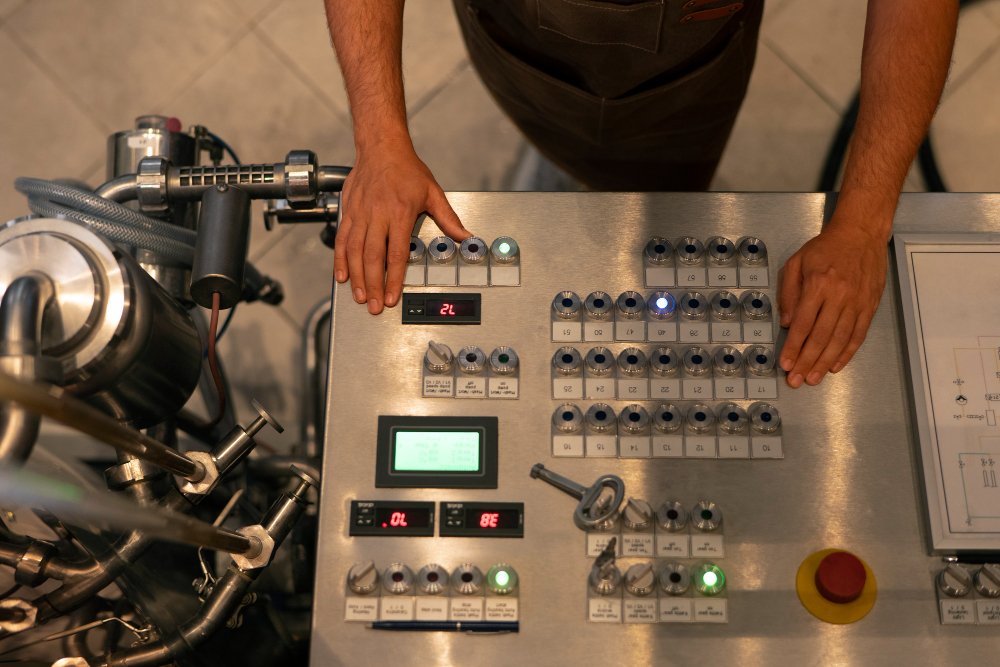
Older industrial machines are often more useful than they appear.
A machine may have been operating for fifteen or twenty years and still perform its main mechanical function reliably. The problem is usually not that it has stopped working. The problem is that it provides little information about what it is doing.
It may not record cycle times. It may not report the reason for a stoppage. Maintenance teams may only discover a problem after production has already been interrupted. Operators may rely on handwritten logs, warning lights, or experience to understand whether the machine is running normally.
Replacing the entire machine can solve these limitations, but full replacement is not always practical. New equipment requires significant investment, installation time, operator training, and changes to the surrounding production process.
In many cases, the better option is to retrofit the existing machine with an embedded monitoring or control system.
A carefully designed retrofit can add sensors, data collection, alarms, connectivity, and selected control features without removing the machine that already performs the production work.
The aim is not to make an old machine look new. It is to give the business better visibility, more reliable control, and a practical path toward modern industrial automation.
What Is a Legacy Machine Retrofit?
A legacy machine retrofit is the process of adding modern electrical, electronic, software, or communication capabilities to existing industrial equipment.
The original mechanical system may remain largely unchanged. New technology is added around it to improve monitoring, control, safety, connectivity, or production reporting.
A retrofit may include:
- Temperature, vibration, pressure, or current sensors
- Product counters and cycle detection
- Custom embedded controllers
- PLC upgrades
- Local HMI displays
- Data logging
- Alarm systems
- Industrial communication gateways
- Remote dashboards
- Cloud or plant-network connectivity
- Automatic control of selected machine functions
The scope can be small or extensive.
One project may simply add a sensor and embedded device to record machine cycles. Another may replace an outdated control board, install a new operator interface, and connect the machine to a plant-wide monitoring system.
The right approach depends on the condition of the machine, the problem being solved, and how much control the retrofit needs to assume.
Why Retrofit Instead of Replace?
Machine replacement can be the correct decision when equipment is unsafe, mechanically unreliable, unsupported, or unable to meet production requirements.
However, replacement is not automatically the best option just because the control system is outdated.
Retrofitting may be more suitable when:
- The machine’s mechanical structure is still reliable
- Replacement would cause a long production shutdown
- A new machine is difficult to justify financially
- The equipment performs a specialized process
- Operators and maintenance teams already understand it
- Spare mechanical parts remain available
- The main limitation is poor monitoring or outdated control
- The business wants to modernize gradually
A retrofit also allows a company to focus investment on the specific weakness of the machine.
If the main problem is the lack of production data, there may be no reason to replace a complete press, pump, mixer, packaging machine, or conveyor. A monitoring system may provide the information needed at a fraction of the disruption involved in full replacement.
The key is to avoid treating every old machine as a problem. Some legacy machines remain productive assets. They simply need a modern layer of intelligence.
Start with the Business Problem
A retrofit project should not begin with a sensor list or a preferred microcontroller.
It should begin with a clear operational problem.
Common reasons for retrofitting legacy equipment include:
- Unplanned downtime
- No visibility of machine status
- Inaccurate production counts
- Manual data recording
- Frequent minor stoppages
- Poor maintenance planning
- Inconsistent cycle times
- Excessive energy use
- Limited traceability
- Obsolete control electronics
- Difficulty connecting the machine to modern systems
The objective should be specific enough to guide the design.
For example:
- Record machine runtime and downtime automatically
- Detect abnormal vibration before bearing failure
- Count completed parts without manual reporting
- Notify maintenance when motor current exceeds a safe range
- Replace an obsolete control board
- Connect machine status to a central dashboard
- Add recipe selection for different products
- Improve control of temperature or pressure
- Log process conditions for quality records
A clear objective prevents the project from becoming larger and more complicated than necessary.
Assess the Machine Before Designing the Retrofit
The condition of the existing machine must be understood before any new electronics are installed.
This assessment should include the mechanical system, electrical components, control logic, operating environment, and safety arrangements.
Important questions include:
- Is the mechanical equipment still in good condition?
- Which components fail most often?
- Is the current wiring documented?
- Are electrical drawings available and accurate?
- Does the machine use relays, a PLC, or a custom control board?
- Are spare inputs and outputs available?
- Which signals can be accessed safely?
- Does the machine already provide fault or status outputs?
- What power supplies are available?
- Are there temperature, dust, moisture, or vibration concerns?
- Can the machine be stopped for installation and testing?
- Are any existing components obsolete?
- Will the retrofit affect safety functions?
Older machines are often different from their original drawings. Wiring may have been changed during repairs. Sensors may have been replaced. Operators may use procedures that were never formally documented.
A physical inspection is therefore more reliable than relying only on manuals.
The retrofit system must be designed around the machine that exists today, not the machine described in an old document.
Decide Whether the System Will Monitor, Control, or Both
One of the most important decisions is how much authority the new embedded system should have.
Monitoring-Only Retrofit
A monitoring system observes the machine without controlling its operation.
It may record:
- Motor current
- Temperature
- Pressure
- Vibration
- Runtime
- Cycle count
- Machine state
- Alarm conditions
- Energy use
This approach usually involves less risk because the original control system remains responsible for machine operation.
Monitoring-only retrofits are often a good first step when the business wants better visibility but does not want to modify the machine’s operating sequence.
Supervisory Control Retrofit
A supervisory system communicates with the existing controls and provides higher-level functions.
It may:
- Select operating recipes
- Adjust approved setpoints
- Start data collection
- Coordinate the machine with other equipment
- Send alarms
- Record production information
- Allow authorized remote commands
The original controller still handles critical machine control, while the new system adds coordination and visibility.
Direct Control Retrofit
A direct control retrofit replaces or takes over part of the original machine control.
This may be necessary when:
- The existing control board is obsolete
- Replacement parts are unavailable
- The original controller cannot support required changes
- The machine needs a new automatic sequence
- Better control accuracy is required
- Integration with other equipment is impossible using the existing system
Direct control requires more engineering, testing, and safety review than a monitoring-only project.
The design team must understand exactly which functions the new controller will own and what should happen if it fails.
Select the Right Signals to Monitor
A useful monitoring system collects information that supports a real decision.
Adding sensors simply because they are available can create large amounts of data without improving maintenance or production.
The selected signals should relate directly to the machine’s known problems or performance goals.
Vibration
Vibration sensors can help monitor motors, bearings, pumps, gearboxes, and other rotating equipment.
A change in vibration behavior may indicate imbalance, misalignment, looseness, or bearing wear. However, useful vibration monitoring requires correct sensor placement and a clear baseline of normal operation.
Temperature
Temperature monitoring can be used for:
- Motors
- Bearings
- Electrical panels
- Ovens
- Hydraulic systems
- Process fluids
- Gearboxes
The system should consider normal temperature variation during startup, full load, and different production conditions.
Motor Current
Motor current can provide information about load, jams, wear, and operating state.
For example, an increase in current may indicate that a pump is working harder than normal or that a conveyor is beginning to bind.
Pressure and Flow
Pressure and flow sensors are useful for pneumatic, hydraulic, fluid-processing, and pumping systems.
They can help detect leaks, restrictions, blockages, and changes in machine performance.
Position and Proximity
Limit switches, inductive sensors, photoelectric sensors, encoders, and proximity devices can be used to detect:
- Product presence
- Machine position
- Completed movement
- Door status
- Conveyor speed
- Cycle completion
Production Count
A simple product counter can provide immediate value when production is currently recorded manually.
The design should account for rejected products, repeat cycles, partial operations, and machine testing so the count remains accurate.
Choose an Appropriate Embedded Hardware Platform
The embedded controller must match the application rather than forcing the application to fit the hardware.
A suitable platform may include:
- A custom microcontroller-based board
- An industrial single-board computer
- A compact PLC
- A remote I/O unit
- An edge gateway
- A combination of local controller and communication device
The choice depends on:
- Number and type of inputs and outputs
- Required processing speed
- Communication protocols
- Environmental conditions
- Data storage needs
- Real-time control requirements
- Cybersecurity requirements
- Expected production quantity
- Maintenance capability
- Long-term component availability
A custom embedded controller may be suitable when the system needs a compact form, specialized sensors, low unit cost, or functions that are difficult to achieve with standard hardware.
A PLC may be more suitable when the system requires familiar industrial programming, straightforward maintenance, standard I/O, and easy support by plant technicians.
The most technically advanced option is not always the most practical one. The system must be maintainable by the people who will support it after commissioning.
Design for the Industrial Environment
Electronics that work on a bench may not survive on a factory floor.
Industrial machines can expose embedded systems to:
- Electrical noise
- Power fluctuations
- Heat
- Dust
- Moisture
- Oil
- Vibration
- Mechanical impact
- Long cable runs
- Poor grounding
- Electromagnetic interference
The hardware design may therefore require:
- Input protection
- Electrical isolation
- Surge protection
- Reverse-polarity protection
- Filtered power supplies
- Shielded communication
- Industrial connectors
- Suitable enclosures
- Temperature-rated components
- Watchdog circuits
- Proper grounding
- Fail-safe outputs
Sensor cabling also matters.
A weak signal routed beside a high-power motor cable may produce unreliable readings. A connector placed in an exposed location may become a maintenance problem. A temperature sensor mounted too far from the actual heat source may provide misleading data.
Industrial embedded systems must be designed for the environment in which they will operate, not just for their electronic function.
Connect Without Disturbing the Existing Machine
A retrofit should avoid unnecessary interference with the original machine.
Where possible, the new system can read existing status signals or add independent sensors without changing the main control sequence.
Possible connection methods include:
- Digital inputs
- Analog signals
- Current transformers
- Non-contact sensors
- Relay contacts
- Serial communication
- Modbus
- CAN
- RS-485
- Ethernet-based protocols
- Industrial gateways
- OPC UA
- Data APIs
For older machines, hardwired signals may be the most reliable option.
A machine-ready relay, fault contact, or motor-running signal can provide useful status information even when the original controller has no modern network capability.
Protocol gateways can also connect older serial devices to newer Ethernet networks. However, communication should not be added simply because it is possible. The data path must be stable, secure, and understandable to the maintenance team.
Develop Clear Machine-State Logic
Raw sensor readings are useful, but machine states are usually more meaningful to operations teams.
Instead of displaying only motor current or sensor status, the embedded system can interpret the signals and report states such as:
- Running
- Idle
- Waiting for material
- Blocked
- Changeover
- Faulted
- Maintenance
- Emergency stop
- Offline
Accurate state detection requires a clear understanding of machine behavior.
A motor may be running while the machine is not producing. A conveyor may be stopped because the downstream process is full rather than because of a fault. An operator may pause the machine during cleaning.
The logic should distinguish these conditions where possible.
This is especially important when the data will be used for production reports, downtime analysis, or overall equipment effectiveness calculations.
Poorly defined machine states can make an automated dashboard less reliable than the handwritten records it was intended to replace.
Add Local Visibility for Operators
A retrofit does not always need a large software platform.
A simple local display may provide the quickest operational benefit.
An HMI or embedded touchscreen can show:
- Machine status
- Current production count
- Active alarms
- Sensor values
- Shift totals
- Maintenance reminders
- Operating instructions
- Historical trends
- Network status
The interface should be designed around the operator’s daily needs.
Operators should not have to interpret technical register names or raw sensor values. Alarms should explain what happened and what action is required.
For example, “Input 14 Fault” is less helpful than “Product exit sensor blocked.”
A good operator interface reduces troubleshooting time and helps staff trust the new system.
Send Data to a Central Dashboard
Once machine information is available digitally, it can be shared with maintenance, production, or management teams.
A central dashboard may display:
- Current machine status
- Production totals
- Downtime duration
- Alarm history
- Cycle-time trends
- Temperature or vibration trends
- Maintenance warnings
- Energy consumption
- Shift comparisons
The dashboard can be hosted on a local server, plant network, or cloud platform depending on the application.
Not every machine needs continuous cloud connectivity. Some facilities prefer local storage because of network reliability, cybersecurity, or data-control requirements.
The architecture should define:
- Which data remains local
- Which data is transmitted
- How often it is updated
- How long it is stored
- Who can access it
- What happens when the network is unavailable
The machine should continue operating safely even when the dashboard or network connection is offline.
Use Alerts Carefully
Alerts can help maintenance teams respond before a problem becomes a production stoppage.
However, poorly configured alerts quickly become noise.
If every small variation creates a notification, staff may begin ignoring the system.
Useful alerts should be:
- Related to a clear risk or action
- Based on realistic thresholds
- Prioritized by severity
- Delayed where short fluctuations are normal
- Recorded for later review
- Assigned to the correct team
For example, a temperature may briefly rise during startup without indicating a fault. The system may need to consider operating state, duration, and load before sending an alert.
Thresholds should be refined using real machine data rather than copied from a generic specification.
Consider Control Upgrades Carefully
Some retrofits go beyond monitoring and improve the way the machine operates.
Possible upgrades include:
- Closed-loop temperature control
- Automatic speed adjustment
- Recipe-based settings
- Coordinated conveyor control
- Motor soft starting
- Variable-frequency drive integration
- Automatic lubrication
- Product detection and rejection
- Remote setpoint management
- Improved fault recovery
These changes can increase consistency and reduce operator workload, but they also create more responsibility for the new control system.
The retrofit must define:
- Safe operating limits
- Manual override procedures
- Failure behavior
- Restart conditions
- Alarm handling
- Control ownership
- Operator permissions
A control upgrade should not remove useful manual functions unless there is a clear reason. Maintenance teams still need safe ways to test devices, move equipment, and recover from faults.
Protect Existing Safety Functions
Monitoring improvements must not weaken machine safety.
Before changing control signals or adding automatic commands, the project team should review:
- Emergency-stop circuits
- Interlocks
- Guard switches
- Safety relays
- Lockout procedures
- Motor contactors
- Stored energy
- Restart behavior
- Maintenance access
Safety functions should remain independent where required.
For example, a dashboard should never be the only method of stopping dangerous motion. A standard embedded controller should not replace a safety-rated device unless the complete safety design is being properly reassessed.
Any control change that affects movement, access, or restart behavior must be reviewed as part of the machine’s wider safety system.
Test the Retrofit in Stages
A retrofit should be tested gradually rather than connected to full production immediately.
A practical testing sequence may include:
Bench Testing
The controller, sensors, firmware, communication, and display are tested before installation.
Signal Verification
Each input and output is checked against the actual machine wiring.
Monitoring-Only Operation
The new system observes the machine without issuing commands. This allows engineers to compare the data with real machine behavior.
Controlled Functional Testing
Selected control functions are tested at low risk, often with the machine unloaded or in maintenance mode.
Fault Testing
The system is tested for:
- Sensor failure
- Communication loss
- Power interruption
- Out-of-range values
- Controller restart
- Network failure
- Invalid commands
Production Validation
The retrofit is tested with normal products, different operating conditions, and actual shift activity.
This staged approach makes it easier to identify whether a problem comes from the machine, the sensor, the firmware, or the communication system.
Establish a Baseline Before Using Predictive Alerts
Condition monitoring becomes more useful when the system knows what normal operation looks like.
A newly installed vibration sensor cannot automatically determine whether every reading is acceptable. The machine may operate differently depending on product, speed, load, or shift conditions.
The system should collect baseline data during:
- Startup
- Normal production
- Full load
- Low load
- Changeover
- Cleaning
- Planned shutdown
- Known fault conditions
This information helps engineers define realistic thresholds and detect meaningful changes.
Predictive maintenance does not always require complex artificial intelligence. In many cases, trend monitoring and well-designed rules provide useful early warnings.
A gradual increase in motor current or bearing temperature may be more important than a single isolated reading.
Plan for Cybersecurity
A machine that was previously isolated may become part of a wider network after the retrofit.
That creates new responsibilities.
The design should consider:
- User authentication
- Access permissions
- Secure remote support
- Network separation
- Encrypted communication where appropriate
- Default password removal
- Firmware update procedures
- Configuration backups
- Logging of changes
- Protection of programming ports
Remote access should be provided only where it supports a real operational need.
The retrofit system should also have a recovery plan. If the controller or gateway fails, maintenance teams should know how to restore the configuration and return the machine to operation.
Update the Documentation
A retrofit is not complete until the documentation reflects the installed system.
The handover package may include:
- Updated electrical drawings
- Sensor list
- I/O list
- Network diagram
- Controller configuration
- Firmware backup
- HMI backup
- Alarm list
- Operating instructions
- Maintenance procedures
- Spare-parts list
- Calibration information
- Cybersecurity settings
- Recovery procedure
This information becomes especially important several years later, when the engineer who designed the retrofit may no longer be available.
Clear documentation reduces dependence on individual knowledge and makes future expansion easier.
Train Operators and Maintenance Teams
The people who use the machine should be involved before the retrofit is finalized.
Operators can explain:
- Common stoppages
- Product variation
- Manual adjustments
- Unusual machine behavior
- Practical workflow issues
Maintenance teams can identify:
- Frequent component failures
- Difficult access areas
- Wiring concerns
- Existing diagnostic limitations
- Preferred spare components
Training should cover more than normal operation.
Operators should know how to respond to alarms, recover from minor faults, and recognize when maintenance support is needed.
Maintenance staff should understand sensor replacement, controller backups, communication diagnostics, and manual testing procedures.
A retrofit is more likely to succeed when staff understand why it was installed and how it helps them.
Common Legacy Machine Retrofit Mistakes
Adding Technology Without a Clear Purpose
A dashboard is not useful if no one knows what decision should be made from the data.
Replacing Too Much at Once
A large control replacement may create unnecessary risk when a smaller monitoring retrofit would solve the main problem.
Ignoring the Machine’s Real Condition
New electronics cannot compensate for severe mechanical wear or poor maintenance.
Using Consumer-Grade Hardware
Low-cost development boards may be useful during prototyping but may not be suitable for long-term industrial use without proper protection and design.
Collecting Too Much Data
More data does not automatically create better insight. The system should collect information that supports maintenance, quality, or production decisions.
Changing Safety Circuits Without Proper Review
Control upgrades must not bypass or weaken existing safety functions.
Failing to Test Recovery Conditions
The system must recover correctly after power loss, communication failure, sensor faults, and emergency stops.
Forgetting Long-Term Support
Components, firmware, passwords, and documentation must remain available after installation.
How to Decide Whether a Retrofit Is Worthwhile
A retrofit is usually worth considering when the existing machine still provides reliable mechanical value but lacks visibility, connectivity, or modern control.
The business case may include:
- Reduced unplanned downtime
- Lower maintenance costs
- Better production reporting
- Improved product consistency
- Reduced manual recording
- Better fault diagnosis
- Longer equipment life
- Improved energy monitoring
- Delayed need for full replacement
- Easier integration with other systems
The calculation should include engineering, hardware, installation, downtime, training, and long-term support.
A retrofit that saves a small amount of time but requires major control changes may not be justified. A simple monitoring system that prevents one significant failure may deliver much greater value.
The assessment should focus on operational impact, not only technical possibility.
How DevoForge Supports Legacy Machine Modernization
At DevoForge, we help businesses modernize existing machines without introducing unnecessary complexity.
Our embedded system and industrial automation capabilities can support projects such as:
- Machine condition monitoring
- Custom sensor integration
- Embedded data acquisition
- Production counting
- Runtime and downtime tracking
- Legacy control-board replacement
- PLC and embedded controller integration
- HMI development
- Industrial communication gateways
- Remote monitoring dashboards
- Industrial IoT connectivity
- Alarm and notification systems
- Control-system upgrades
- Testing and commissioning
- Technical documentation
We begin by reviewing the current machine, the operational problem, and the level of integration required.
The result may be a compact monitoring device, a custom embedded controller, a PLC-based retrofit, or a connected system combining local control with central reporting.
The objective is to extend the useful life of existing equipment while making it easier to operate, maintain, and integrate with modern production systems.
Frequently Asked Questions
Can any old machine be retrofitted?
Many older machines can be retrofitted, but the final decision depends on mechanical condition, safety, available signals, documentation, and expected remaining service life.
Does a retrofit require replacing the existing PLC?
Not always. A new monitoring system can often read existing signals or add independent sensors while the original PLC continues controlling the machine.
Can a machine without a PLC be monitored?
Yes. Sensors and embedded devices can be added to relay-controlled or manually operated machines to collect status, cycle, temperature, current, vibration, and other data.
What types of data can be collected?
Common data includes runtime, downtime, production count, cycle time, temperature, vibration, pressure, current, energy use, alarm status, and machine state.
Can legacy machines be connected to a cloud dashboard?
Yes, provided the system has a secure gateway or network connection. Local dashboards may also be used where cloud connectivity is not appropriate.
Will the machine need to stop during installation?
Most retrofits require some planned downtime for wiring, sensor installation, testing, and commissioning. Off-site preparation can reduce the required shutdown period.
Is an embedded controller better than a PLC for retrofitting?
It depends on the application. Embedded controllers provide flexibility and compact custom functionality, while PLCs may be easier for plant maintenance teams to support.
Can a retrofit support predictive maintenance?
Yes. Sensors can collect condition data such as vibration, temperature, pressure, and current. Trend analysis and alert rules can then identify changes that may require maintenance attention.
How long does a machine retrofit take?
The timeline depends on the number of signals, level of control, hardware design, installation access, safety requirements, and testing needs.
Is retrofitting cheaper than replacing a machine?
It can be, especially when the machine remains mechanically reliable and the main limitation is outdated monitoring or control. A technical and financial assessment should be completed before deciding.
Final Thoughts
A legacy machine does not need to be replaced simply because it cannot provide modern data or connect to newer systems.
When the mechanical equipment remains reliable, an embedded monitoring or control retrofit can add visibility, improve maintenance, support better production decisions, and extend the machine’s useful life.
The strongest retrofit projects begin with a specific operational problem. They use only the sensors and control functions required, protect existing safety systems, and leave the machine with clear documentation and maintainable technology.
Modernization does not always need to happen through a complete factory replacement. Sometimes the most practical step is to make the equipment already on the floor more visible, connected, and intelligent.
Planning to modernize an older industrial machine?
Speak with the DevoForge engineering team about your current equipment, monitoring requirements, and possible retrofit options.