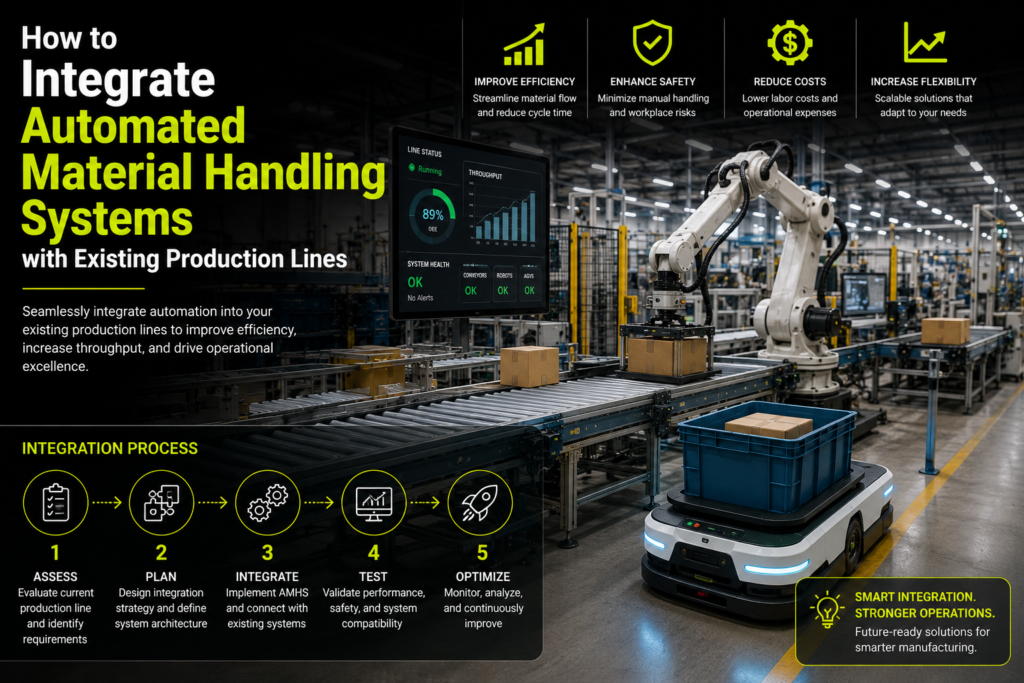
Buying a conveyor, robot or automated transfer system is often the easy part. Making that equipment work reliably with an existing production line is where the real engineering begins.
An older production line may already include machines from several manufacturers, different PLC platforms, undocumented wiring changes and processes that depend heavily on operator experience. Adding new material handling equipment without understanding those details can create more stoppages instead of improving productivity.
Successful integration is not simply about placing a conveyor between two machines. The new system must know when a product is ready, where it needs to go, whether the next station can receive it and what should happen when something goes wrong.
This is why industrial automation integration must be approached as a complete operational project rather than a standalone equipment installation.
In this guide, we explain how manufacturers can integrate automated material handling systems with existing production lines while controlling downtime, maintaining safety and preparing the operation for future growth.
Why Integration Is More Difficult Than Installing New Equipment
Existing production lines rarely operate exactly as their original drawings suggest.
A machine may have been modified years ago. A sensor may have been replaced with a different model. Operators may follow an informal process that is not documented anywhere. Production rates may also vary depending on the product, shift or material being processed.
The new material handling system has to work with the production line as it exists today, not as it was originally designed.
This usually requires coordination between:
- Conveyors, robots, lifts, feeders or transfer systems
- Existing production machines
- PLCs and remote I/O modules
- Sensors, encoders and actuators
- Variable-frequency drives and servo systems
- HMI and SCADA platforms
- Safety devices and emergency-stop circuits
- Manufacturing execution or enterprise software
- Operators and maintenance teams
The purpose of industrial automation integration is to make these individual parts behave as one coordinated system.
1. Begin with the Actual Material Flow
A common mistake is to begin by choosing equipment.
A team identifies a slow process and immediately starts comparing conveyors, robots or automated guided vehicles. However, selecting hardware before understanding the complete material flow often leads to poor results.
The first step should be to observe how material currently moves through the production area.
Follow the product from one operation to the next and record:
- Where the material enters the line
- How it is positioned and transferred
- How long it waits between processes
- Where queues regularly develop
- Which activities require manual lifting or movement
- What happens when the next machine is unavailable
- How rejected or damaged products are handled
- Where operators make manual decisions
This assessment should include normal production as well as changeovers, maintenance periods, minor stoppages and product variations.
A process may appear efficient during a short observation, but the real bottleneck might only occur during a particular product run or when one downstream machine slows down.
The goal is not to automate every manual action. It is to identify the movements where automation will make the biggest operational difference.
2. Audit the Existing Production Line
Before connecting new equipment, the integration team needs a clear picture of the existing automation environment.
That means documenting more than the physical machinery. The audit should cover electrical systems, control hardware, communication networks, safety circuits and available production data.
Important questions include:
- Which PLC brands and models are currently installed?
- Is the PLC program available and properly backed up?
- Are spare inputs and outputs available?
- Which industrial communication protocols are already in use?
- Can the existing control panel support additional equipment?
- Are electrical drawings accurate?
- Which machines can send and receive control signals?
- Are machine states available, such as ready, running, blocked or faulted?
- Can production be stopped safely for installation?
- Are any components obsolete or no longer supported?
Older equipment may not provide modern network connectivity, but that does not automatically mean it must be replaced. In many cases, legacy machines can be connected through additional sensors, signal interfaces, remote I/O, protocol gateways or a separate supervisory controller.
The audit helps determine whether the integration can be completed through software changes, requires electrical modifications or needs a wider control-system upgrade.
3. Define How the Machines Will Work Together
Once the current process is understood, the next step is to define the operating sequence.
Consider a simple example. A conveyor is being added between a filling machine and a packaging machine.
The conveyor should not run continuously without knowing what is happening at either end. It may need to confirm that:
- The filling machine has completed its cycle.
- A filled container is available for transfer.
- The conveyor path is clear.
- The packaging machine is ready to receive the container.
- The container has reached the correct position.
- The transfer has been completed successfully.
The system must also know what to do when one of these conditions is not met.
For example:
- Should the upstream machine pause when the conveyor is full?
- How many products can accumulate safely?
- What happens if a sensor does not detect the product?
- Should the system retry a transfer?
- When should an alarm be raised?
- Can an operator remove a blocked product safely?
- How will the line restart after an emergency stop?
These rules are normally documented through sequence descriptions, state diagrams, cause-and-effect tables and control narratives.
Writing the sequence before programming begins prevents different teams from making conflicting assumptions about how the finished system should operate.
4. Select the Right Material Handling Technology
Not every production problem requires the same type of equipment.
The right system depends on the material, production rate, available space, process flexibility and level of control required.
Common automated material handling solutions include:
Conveyor Systems
Conveyors are suitable for repetitive movement along a fixed route. They can include accumulation zones, product detection, speed control, sorting, weighing and reject mechanisms.
Robotic Pick-and-Place Systems
Robots are useful where items must be picked, positioned, loaded, unloaded or transferred between different orientations. They can be combined with machine vision when product location or orientation varies.
Automated Guided Vehicles
AGVs generally follow predefined paths and are often used for moving pallets, containers or work-in-progress between known locations.
Autonomous Mobile Robots
AMRs can navigate more flexibly around a facility and may be useful where routes or destinations change. They are increasingly used to connect production, storage, packaging and dispatch areas. Rockwell Automation notes that manufacturers evaluate AMRs alongside conveyors, forklifts and AGVs according to flexibility, safety, productivity and cost requirements.
Vertical Lifts and Transfer Units
These systems move products between different levels or transfer them between perpendicular conveyor sections.
Automated Storage and Retrieval Systems
AS/RS equipment can manage the controlled storage and retrieval of materials, components, tools or finished products.
The most advanced technology is not always the best choice. A reliable conveyor with well-designed controls may provide better value than a complex mobile robot system for a process that follows the same route every day.
Equipment selection should be based on the production requirement, not on what currently appears most impressive.
5. Design a Clear Control Architecture
The control architecture determines how the new material handling equipment will communicate with the existing production line.
For smaller projects, the new equipment may be controlled directly by an existing PLC. Larger systems may require a dedicated PLC that exchanges status and command signals with other machines.
A typical architecture can include:
- PLC or industrial controller
- Local and remote I/O
- Motor starters and variable-frequency drives
- Servo controllers
- Safety PLC or safety relays
- HMI panels
- SCADA or plant-monitoring software
- Barcode or RFID systems
- Vision systems
- Industrial network switches
- MES or ERP connections
The architecture should clearly define which controller is responsible for each decision.
For example, the material handling PLC may control conveyor movement, while the production machine PLC controls the manufacturing process. The two controllers exchange a defined set of signals such as:
- Machine ready
- Material available
- Transfer request
- Transfer permitted
- Transfer complete
- Line blocked
- Fault active
- Emergency stop active
Clear ownership makes the system easier to troubleshoot. Without it, two controllers may issue conflicting commands or wait indefinitely for each other.
6. Resolve Communication and Compatibility Issues
Production lines often contain equipment from different generations and suppliers.
One machine may communicate through PROFINET, another through EtherNet/IP and an older controller may only support Modbus RTU or hardwired signals. The integration team must decide how these systems will exchange information reliably.
Possible approaches include:
- Direct controller-to-controller communication
- Hardwired digital or analogue signals
- Remote I/O
- Industrial protocol gateways
- OPC UA servers
- Edge controllers
- Database or API integration for higher-level systems
OPC UA is widely used where structured data needs to move between machines, supervisory systems and enterprise platforms. The OPC Foundation describes it as an interoperability framework for machine-to-machine and machine-to-enterprise communication, with security built into the architecture.
Protocol selection should consider more than whether two devices can technically communicate. The team should also review:
- Required update speed
- Network reliability
- Data structure
- Diagnostic information
- Cybersecurity
- Future equipment additions
- Availability of engineering support
For time-critical machine control, deterministic industrial communication may be required. For reporting, maintenance or production dashboards, a higher-level data connection may be more appropriate.
7. Treat Safety as Part of the Design
Safety should not be added after the equipment is installed.
Conveyors, robots, lifts and moving transfer mechanisms introduce hazards such as nip points, crushing areas, unexpected movement and access to moving components. OSHA requires machinery to be safeguarded where machine functions, moving parts or processes may injure workers.
Depending on the application, the safety design may include:
- Fixed guards
- Interlocked access doors
- Emergency-stop devices
- Safety light curtains
- Safety scanners
- Pull-cord switches
- Safe-speed monitoring
- Safety mats
- Lockout and tagout provisions
- Controlled restart procedures
- Safe maintenance and jam-clearing modes
The design should also consider how safety devices interact across the full production line.
Stopping one conveyor may cause products to accumulate upstream. Stopping a robot may leave material in a position that prevents another machine from completing its cycle. A well-designed safety system brings equipment to a safe state without creating additional hazards elsewhere.
Maintenance tasks deserve particular attention. OSHA’s lockout/tagout guidance requires hazardous energy to be controlled when machinery is serviced or maintained.
Local regulations and applicable machine-safety standards must be reviewed for every project and operating location.
8. Plan the Physical Installation Carefully
A control design can look perfect on a screen and still fail because the physical layout was not studied properly.
Before installation, verify:
- Equipment dimensions
- Floor loading and anchoring
- Product clearances
- Operator walkways
- Forklift routes
- Guarding requirements
- Access for maintenance
- Cable routing
- Electrical-panel location
- Pneumatic or hydraulic connections
- Environmental conditions
- Cleaning and washdown requirements
- Emergency exits
Sensor position is especially important.
A sensor that works during an empty-line test may fail when the product is dusty, reflective, transparent, irregularly shaped or moving at full production speed. The mounting position must also allow safe adjustment and replacement.
The same applies to motors, drives, bearings and other serviceable components. Saving a small amount of space during installation can create years of maintenance difficulty.
9. Prepare for Integration Without Disrupting Production
For an existing factory, downtime is often the biggest project constraint.
The integration plan should separate work that can be completed while production continues from work that requires a shutdown.
Before the planned installation window, the project team can often complete:
- Control-panel assembly
- PLC and HMI programming
- Cable preparation
- Mechanical fabrication
- Equipment preassembly
- Network configuration
- Sensor testing
- Documentation
- Operator interface reviews
- Factory acceptance testing
Where the project is sufficiently complex, simulation or virtual commissioning can be used to test sequences and control logic before installation. Siemens describes virtual commissioning as a way to test production setups and control behaviour digitally before physical deployment, helping identify sequencing and configuration problems earlier.
The shutdown plan should then list each task in sequence, including:
- Isolation and safe access
- Removal or modification of existing equipment
- Mechanical installation
- Electrical connection
- Network connection
- Software deployment
- I/O verification
- Dry-cycle testing
- Product testing
- Safety validation
- Production release
Contingency plans should also be prepared. If the new system cannot be commissioned within the shutdown period, the facility may need a temporary manual process or a method of restoring the original configuration.
10. Test the System Before Full Production
Testing should begin long before the first full production run.
A structured testing process normally includes several stages.
I/O Testing
Every sensor, switch, actuator, motor and safety device is checked against the electrical drawings and PLC program.
Manual-Mode Testing
Individual devices are operated separately to confirm direction, movement, speed and feedback.
Sequence Testing
The full automatic sequence is tested without production material or with controlled test items.
Fault Testing
Sensors are blocked, communication is interrupted and equipment is intentionally placed in fault conditions to confirm that the system responds correctly.
Safety Testing
Emergency stops, guards, interlocks and safety devices are verified under documented test conditions.
Production Testing
Actual products are run at different speeds, sizes and operating conditions.
Recovery Testing
The team checks whether the system can recover correctly after a jam, emergency stop, power loss, communication failure or partially completed cycle.
Recovery is often where integration problems become visible. A line may operate perfectly during uninterrupted production but become difficult to restart after a small fault.
A good control system should tell the operator what happened, what needs attention and how the line can be returned to production safely.
11. Commission the System in Stages
Trying to launch every feature at once increases risk.
Where possible, commissioning should be divided into manageable stages. A conveyor might first operate independently, then exchange basic ready-and-complete signals with one machine, and finally be integrated into the complete automatic sequence.
A staged approach allows the team to isolate problems more easily.
During commissioning, engineers should monitor:
- Cycle time
- Product spacing
- Sensor reliability
- Motor loading
- Queue lengths
- Communication errors
- Alarm frequency
- Operator intervention
- Reject rates
- Unplanned stops
The original settings should not be treated as final. Conveyor speeds, timers, accumulation limits and sensor delays may need adjustment once the system is operating with real products and normal production variation.
12. Protect the Connected Automation Environment
Connecting machines to plant networks or business systems creates new opportunities for visibility and analysis, but it also changes the cybersecurity risk.
NIST advises manufacturers to secure operational technology while recognising its specific safety, reliability and performance requirements.
Practical controls may include:
- Separating OT and office networks
- Restricting remote access
- Managing user accounts and permissions
- Changing default credentials
- Backing up PLC, HMI and drive configurations
- Controlling engineering-laptop access
- Monitoring network activity
- Keeping an inventory of connected assets
- Reviewing firmware and software updates
- Documenting recovery procedures
Cybersecurity should be considered during design rather than after remote access, cloud dashboards or enterprise connections have already been added. The ISA/IEC 62443 series provides a lifecycle-based framework for securing industrial automation and control systems.
13. Train the People Who Will Use the System
A technically successful system can still underperform when operators do not understand it.
Training should be based on the tasks each person performs.
Operators may need to understand:
- Starting and stopping the system
- Selecting operating modes
- Responding to alarms
- Clearing minor faults safely
- Restarting after a stoppage
- Identifying when maintenance support is required
Maintenance teams usually need deeper training covering:
- PLC and HMI diagnostics
- Sensor alignment and replacement
- Drive faults
- Network communication
- Manual device operation
- Backup restoration
- Safety-system diagnostics
- Preventive maintenance
Training should include real fault scenarios rather than only a presentation about normal operation.
The final handover package should also include updated electrical drawings, I/O lists, software backups, device manuals, network layouts, alarm descriptions and spare-parts information.
14. Measure Performance After Go-Live
The project is not complete when the equipment begins moving products.
The system should be measured against the reasons it was installed in the first place.
Useful performance indicators may include:
- Throughput
- Cycle time
- Material waiting time
- Unplanned downtime
- Number of manual transfers
- Product damage
- Energy consumption
- Labour hours spent on repetitive handling
- Alarm frequency
- Mean time to repair
Monitoring the system for several weeks often reveals small improvements that were not obvious during commissioning.
For example, the equipment may meet its design speed but stop frequently because an upstream operator cannot load products consistently. The solution may be a small accumulation buffer rather than increasing conveyor speed.
Good industrial automation services should include post-commissioning review and optimisation, not just equipment installation.
Common Integration Mistakes to Avoid
Several problems appear repeatedly in material handling projects.
Automating a Poor Process
Automation does not automatically fix an inefficient workflow. It can simply make the same problem operate faster.
Ignoring Product Variation
A system tested with one product may not handle different sizes, weights, surfaces or packaging conditions.
Using Too Many Custom Components
Highly specialised components may solve an immediate problem but become difficult to replace later.
Failing to Plan Fault Recovery
Normal operation receives most of the attention, while restart and recovery sequences are left until the end.
Underestimating Operator Knowledge
Operators often understand production behaviour that is missing from drawings and formal procedures.
Connecting Systems Without a Cybersecurity Plan
Remote access and data integration should not be added without considering network architecture, access control and backups.
Incomplete Documentation
Undocumented software and wiring changes make future troubleshooting and expansion unnecessarily difficult.
Selecting Equipment Before Defining Requirements
The system should be designed around the process, not around a particular conveyor, robot or supplier catalogue.
Should You Integrate in One Project or Use a Phased Approach?
A complete integration project may be suitable when the process is well understood, the shutdown window is available and the equipment must operate as one system from the beginning.
A phased approach may be better when:
- Production cannot tolerate a long shutdown
- The facility contains several older machines
- Process data is limited
- The business wants to validate the return before expanding
- Different parts of the line can operate independently
- The final production requirement may change
For example, a manufacturer might begin by automating product transfer between two high-volume machines. Once that section is stable, the same control architecture can be extended to sorting, pallet movement or finished-goods handling.
The important point is to design the first phase with future expansion in mind. A low-cost pilot can become expensive when its controls, network or physical layout cannot support the next stage.
How DevoForge Supports Industrial Automation Integration
At DevoForge, we develop automation systems around the real operating conditions of each facility.
Our industrial automation services can support projects from early process assessment through control-system design, programming, installation and commissioning.
Depending on the application, our work can include:
- Production-line and material-flow assessment
- Automated material handling system design
- Conveyor and transfer control
- PLC and HMI development
- Sensor and actuator integration
- Industrial communication and protocol integration
- Legacy machine upgrades
- Electrical control planning
- SCADA and production monitoring
- IoT and cloud connectivity
- Testing and commissioning
- Technical documentation and ongoing support
We focus on making new equipment work with the machines, processes and people already present in the operation.
Whether the requirement involves a single automated transfer, a conveyor network, a robotic handling cell or plant-wide industrial automation integration, the objective remains the same: create a system that is practical, reliable and maintainable.
Frequently Asked Questions
Can automated material handling equipment be added to an old production line?
Yes. Older machines can often be integrated using additional sensors, hardwired signals, remote I/O, industrial communication gateways or separate controllers. The right approach depends on the condition of the equipment, available documentation and existing control system.
Does the entire production line need to be replaced?
Not usually. Many automation projects are completed as retrofits. Specific handling processes can be automated while the main production equipment remains in place.
How long does industrial automation integration take?
The timeline depends on the number of machines, required software changes, equipment lead times, safety requirements and available installation windows. A single conveyor integration may take considerably less time than a multi-machine handling and tracking system.
What information is needed before starting?
Useful information includes production targets, process layouts, product dimensions, cycle times, electrical drawings, PLC details, equipment manuals, safety requirements and details of current bottlenecks.
Can different PLC brands communicate with each other?
In many cases, yes. Communication may be established through compatible industrial protocols, hardwired signals, protocol converters, OPC UA or an intermediate controller.
How can integration downtime be reduced?
Downtime can be reduced through detailed site assessment, off-site panel construction, pre-programming, simulation, factory testing, prepared cabling and a clearly sequenced installation plan.
What is the difference between material handling equipment and integration?
Material handling equipment physically moves, stores, sorts or positions materials. Integration connects that equipment with machines, controls, safety systems and production data so the complete process works automatically.
How do I know which automated material handling solution is right for my facility?
The choice should be based on material type, movement distance, production volume, route flexibility, available space, safety requirements, maintenance capability and expected return. A process assessment should be completed before selecting equipment.
Final Thoughts
Integrating automated material handling systems with an existing production line is not simply an equipment purchase. It is a coordination project involving machines, software, controls, networks, safety systems and people.
The most successful projects begin with a clear understanding of the current process. They define operating sequences before programming, test failure conditions as carefully as normal production and leave the facility with accurate documentation and maintainable technology.
When industrial automation integration is planned properly, automated material handling solutions can improve flow without forcing a business to replace its entire production line.
Planning to automate material movement within your facility?
Speak with the DevoForge engineering team about your existing production process, integration requirements and potential automation opportunities.